
📌 In this article, we are using the Featured Post Block.
To keep a post as your top featured post, make this post a Sticky Post. To make this post a sticky post,
-
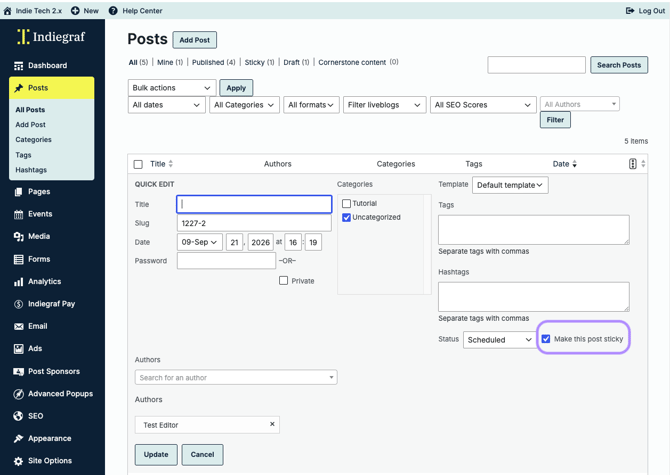
Go to Posts > All Posts> then click Quick Edit below the post you want to feature.
-
From here, check the box beside Make this post sticky.
-
Click Update to save.
-
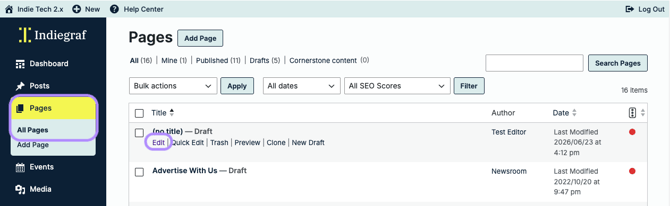
Next, go to Pages > All Pages. Use the Search Field and type in Home.
-
Click Edit to enter the Post Editor.
-
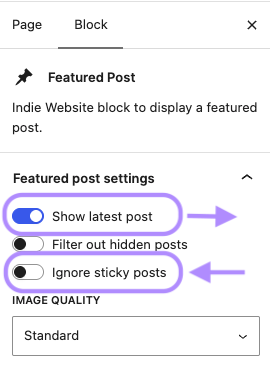
Click on the Featured Post Block, then
-
toggle on Show latest posts and
-
toggle off Ignore sticky posts.
-
-
-
Click Save to Update.