
Follow these steps to locate your sitemap extension and submit it correctly via your own Google Search Console account.
Step 1: Login to your Google Search Console
- Open Google Search Console 🔗
- Click your profile icon in the top-right corner to ensure you are logged into the Google account associated with your website.
Step 2: Retrieve Your Sitemap URL
Your Indiegraf OS automatically generates a sitemap for you.
- The Standard Location: For most publishers, your main sitemap is located at:
[yourdomain.com/sitemap_index.xml]
In other words:https://yourdomain.com/sitemap_index.xml - Finding it via your dashboard: Log into your Indiegraf platform system dashboard, navigate to your SEO settings, and look for the XML Sitemaps section to view and copy your URL.
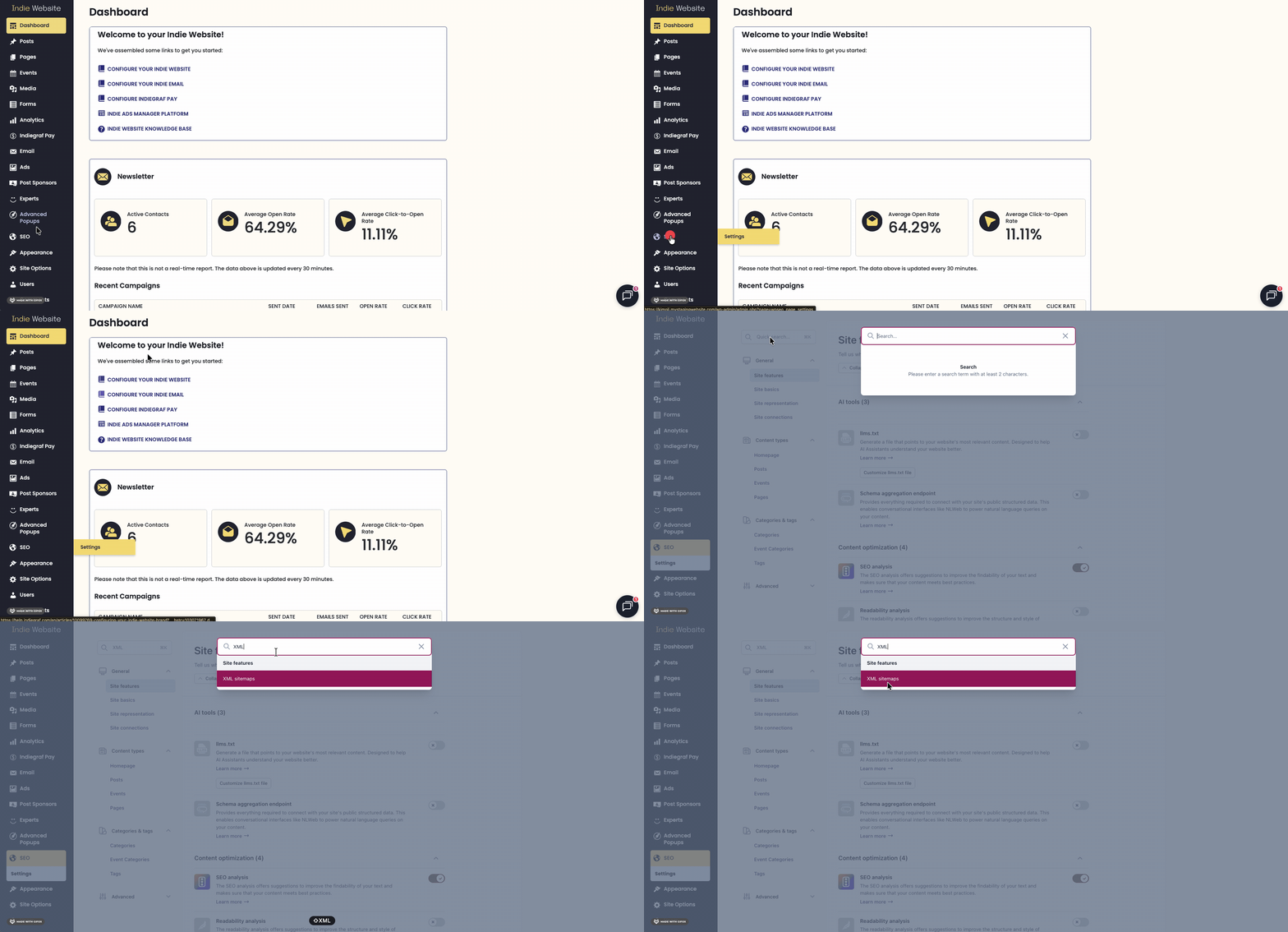
Step 3: Submit the Sitemap to Google
Now that you have your URL handy, you only need to submit the very last part of it to Google.
-
Navigate to Sitemaps: Left Sidebar
In the left-hand sidebar of Google Search Console, look under the "Indexing" section and click on Sitemaps. -
Check Your Status: Review Section
Take a quick look at the Submitted sitemaps section at the bottom to see if a sitemap is already there and when Google last processed it. -
Paste the Extension: Add a New Sitemap
Under the Add a new sitemap field, you will see your domain name already filled out. You only need to paste the final extension of your URL there—usuallysitemap_index.xml -
Click Submit: Final Step
Hit the Submit button. Google will take it from here, periodically processing this file and keeping your search presence up to date.
🌟 Bonus for Yoast SEO premium
If your Indiegraf platform system includes the Yoast SEO premium plan and you regularly publish timely news content, you likely have a specific News Sitemap URL as well.
You can grab this unique news URL directly from your dashboard's SEO settings and submit it using the exact same steps outlined above. This helps ensure your breaking stories qualify quickly for Google News indexing!