How to Access Indie Editor
To start using the tool, follow these steps:
- Click the check mark icon located in the top bar of the editor.

- Toggle on the Style Check to begin scanning your text.
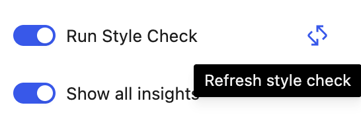
- If you make significant changes to your draft, click the Refresh Style Check icon (located next to the toggle) to re-scan your work.
Understanding Your Highlights
As the tool scans, you will see yellow and red highlights appear in your text. These correspond to recommendation cards that appear in the right sidebar in the order they occur in your text.
- Yellow Highlights (Contextual Suggestions): These are items you should double-check against the style guide. They are often context-dependent and may require further review.
- Trust-Building Strategies: Through a partnership with Trusting News, Indie Editor highlights words (like "baseless") that might benefit from concrete evidence or more descriptive labels to help build reader trust.
- Red Highlights (Essential Corrections): These indicate places where the tool is confident there is an error based on the style guide.
Tip: If you only want to see essential corrections, you can toggle off Show All Insights to hide the yellow highlights.
Reviewing Recommendations
You can easily navigate and manage the suggestions provided by the sidebar cards: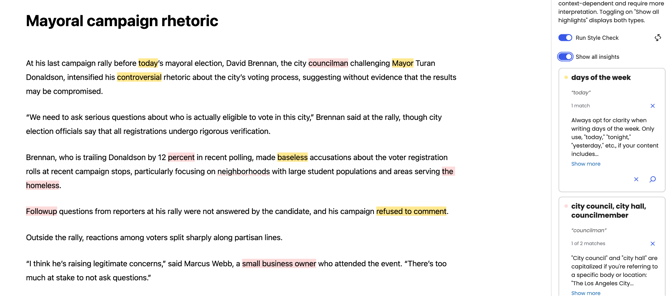
- Locate Text: Clicking an entry in the sidebar will highlight the specific paragraph where it is located.
- Get More Context: Click Show More on a card for a deeper explanation of the recommendation.
- Navigate Matches: If a recommendation occurs multiple times, use the arrow icons to jump through each instance.

- Dismissing Suggestions:
- Click the X icon next to the match number to dismiss a single occurrence.
- Click the X icon next to the match number to dismiss a single occurrence.
-
- Click the X icon at the bottom of the card to dismiss all instances of that specific recommendation.
- Click the X icon at the bottom of the card to dismiss all instances of that specific recommendation.
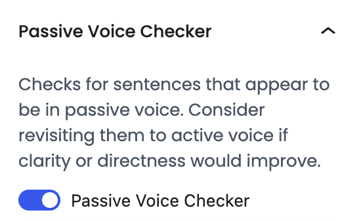
Improving Clarity with the Passive Voice Checker
Indie Editor also includes a dedicated Passive Voice Checker found under the recommendations section. This tool highlights passive voice entries in the sidebar and the text editor, allowing you to easily identify and fix them to make your writing clearer and more active.