
By default, the RSS Featured Image and excerpt are combined in your newsletter RSS feed when you use the RSS Content Block. If you wish to separate your excerpt and RSS Featured Image, you can do this by toggling off RSS Featured Image.
Why would you want to toggle off RSS Featured Image?
Some publications that use the RSS Content Block to bring in their excerpt from their posts may choose not to have the image because,
- The publication doesn't want to display the featured image in their newsletter.
- The publication wants more control over the RSS feed design.
- The publication may not like how the RSS feed is automatically designed to include both the image and excerpt.
Why would you keep RSS Featured Image toggled on?
Some publications will keep the Featured Image toggled on because,
- The publication is satisfied with the default design options.
- By default, the publisher can adjust the RSS Featured Image with the following configurations:
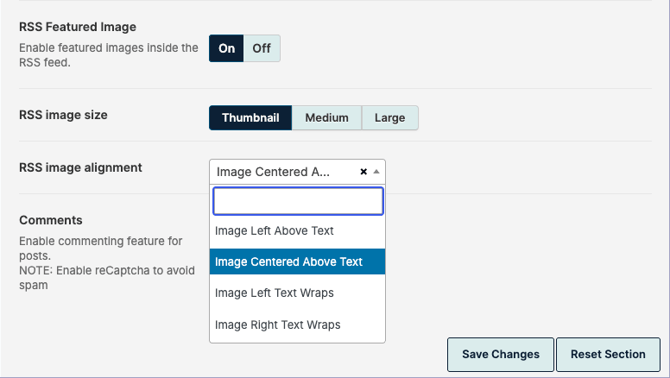
- RSS Image Size: Thumbnail, Medium, Large
- RSS Image Alignment: Image Left Above Text, Image Centered Above Text, Image Left Text Wraps, Image Right Text Wraps
- The publication wants to keep the design simple by avoiding an additional RSS block (RSS Image Block) in the layout.
How to toggle off RSS Featured Image
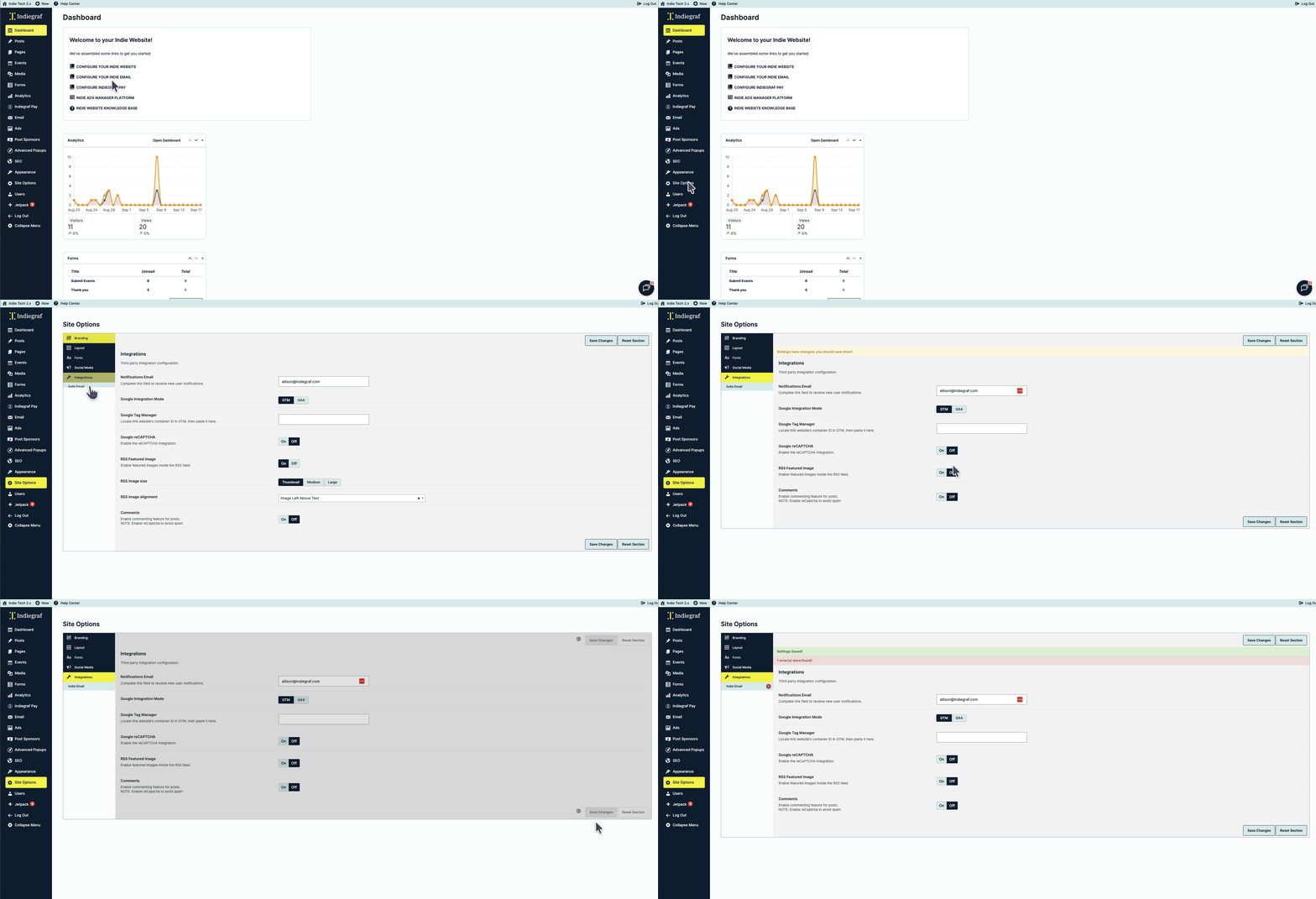
If you wish to toggle off the RSS Featured Image,
- Log in to your Indie Website.
- Use the left-hand dashboard menu to navigate to Site Options.
- From Site Options, click Integrations.
- Scroll down to RSS Featured Image and select Off.
- Save Changes.
How do I use the RSS Content block without the RSS Featured Image toggle on?
When you turn off the RSS Feature Image setting, you will need to rely on the RSS Image block to showcase the featured image in your post's newsletter. That said, you can use different row configurations or design elements and have more creative control over your newsletter's RSS feed. To learn more about editing your campaigns, please check out Indie Email - Using the email designer